HR teams have more workforce data than ever before. Every hire, resignation, promotion, salary revision, leave request, performance review, and training activity creates another data point. Yet, when an HR personnel asks a straightforward question, the answer is rarely straightforward.
Why is attrition increasing in one department? Which locations have the highest overtime costs? Where could the business face a skills shortage? Are recruitment delays affecting project delivery?
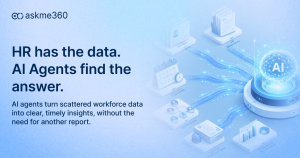
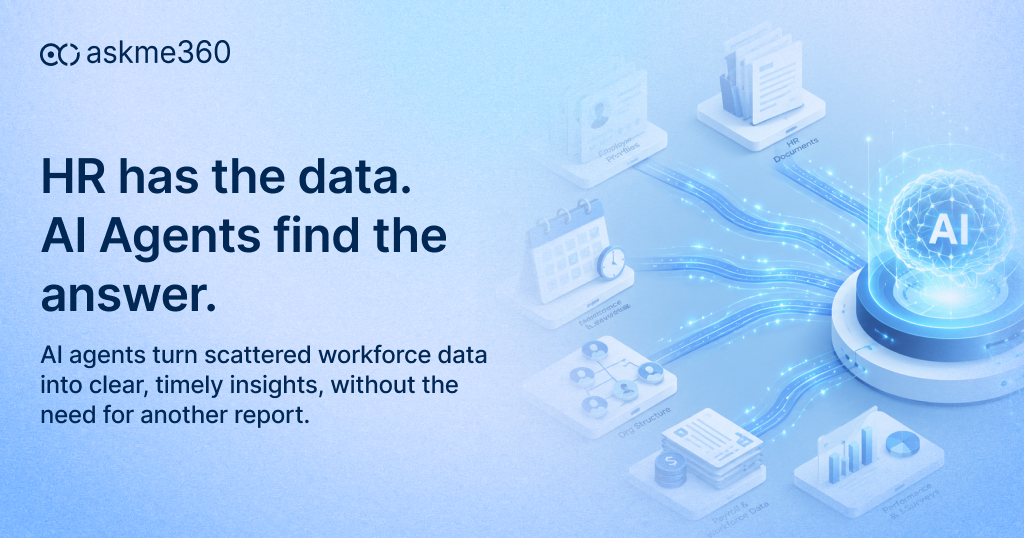
The information may already exist. However, it often sits across HRMS platforms, payroll applications, attendance systems, recruitment tools, spreadsheets, and performance management software. Someone still has to collect it, reconcile it, analyse it, and turn it into a report. AI in HR is beginning to create real value here. The opportunity is not simply to automate HR administration. It is to help HR teams understand workforce data faster, ask better questions, and make better people decisions.
What is AI in HR?
AI in HR refers to the use of artificial intelligence to analyse workforce data, improve reporting, identify patterns, support planning, and help HR teams make informed people-related decisions. With AI agents for HR, users can ask questions in natural language and receive answers based on employee, payroll, attendance, recruitment, performance, and workforce planning data.
AI does not need to replace HR professionals to transform the function. Its more valuable role is to help HR teams access workforce insights faster, automate repetitive analysis, improve employee support, and make better-informed people decisions. An AI agent can retrieve the relevant information, compare departments, detect patterns, produce a visual summary, and suggest follow-up questions.
It is different from asking a general-purpose chatbot to explain attrition. A business-ready HR agent must understand your organization’s employees, reporting hierarchy, locations, roles, policies, cost centres, and data permissions.
Why do HR teams need faster workforce insights?
HR teams need faster workforce insights because delayed information leads to delayed hiring, retention, staffing, and workforce-planning decisions. Real-time visibility helps leaders detect emerging risks, understand workforce changes, and respond before a people issue affects business performance.
Workforce conditions change much faster than traditional reporting cycles. A monthly report may show that attrition increased. However, by the time the report reaches management, several more employees may have resigned. A quarterly skills report may identify a shortage after it has already delayed a project.
This creates a gap between workforce events and management action. The problem becomes more serious as the labour market changes. The World Economic Forum estimates that 22% of today’s jobs will face disruption by 2030. It also expects 39% of workers’ core skills to change during the same period. Therefore the need to answer questions faster across several areas:
- Headcount and workforce movement
- Skills availability and future capability gaps
- Employee costs and overtime
- Attendance and absenteeism
- Recruitment progress and time-to-hire
- Attrition and retention
- Performance and productivity
- Learning and development
- Workforce demand by location or department
Traditional HR reporting was designed to describe the past. Modern workforce intelligence must also explain the present and help prepare for the future.
What prevents HR teams from getting timely insights?
Getting reliable HR data insights is difficult because workforce information is often fragmented across multiple systems, spreadsheets, dashboards, and reporting processes. HR teams may also depend on IT or analysts to combine the data, validate definitions, and prepare reports. The biggest obstacle is rarely a lack of data. It is the difficulty of turning that data into a usable answer.
Workforce data is scattered
Employee master data may sit in an HRMS. Salary and deductions may sit in payroll. Working hours may come from timecard systems. Hiring data may sit in an applicant tracking system. Performance data may live elsewhere. Each system presents only part of the employee story. As a result, HR analysts spend significant time joining data before they can even begin analysing it.
Reporting depends on specialist knowledge
Many business questions require SQL queries, BI tools, spreadsheet formulas, or custom reports. HR teams may depend on IT professionals or analysts who already have a backlog of requests.
The process becomes slow:
Request the report → explain the requirement → extract the data → validate it → revise the report → deliver the final version.
By then, the original question may have changed.
Dashboards answer predefined questions
A dashboard may show attrition by department. But what happens when the CHRO wants to compare attrition by manager, tenure, location, performance level, and salary band? That follow-up question may require a new dashboard or another report.
Data definitions are inconsistent
One report may define headcount using active employees. Another may include employees serving notice. A third may exclude contractors. When numbers conflict, leadership meetings turn into debates about data instead of decisions about people.
Workforce information is sensitive
Salary, performance, health-related absence, personal details, and disciplinary information require strict access controls. Not every manager should see every answer. AI for HR teams must respect role-based permissions, record-level access, privacy rules, and audit requirements.
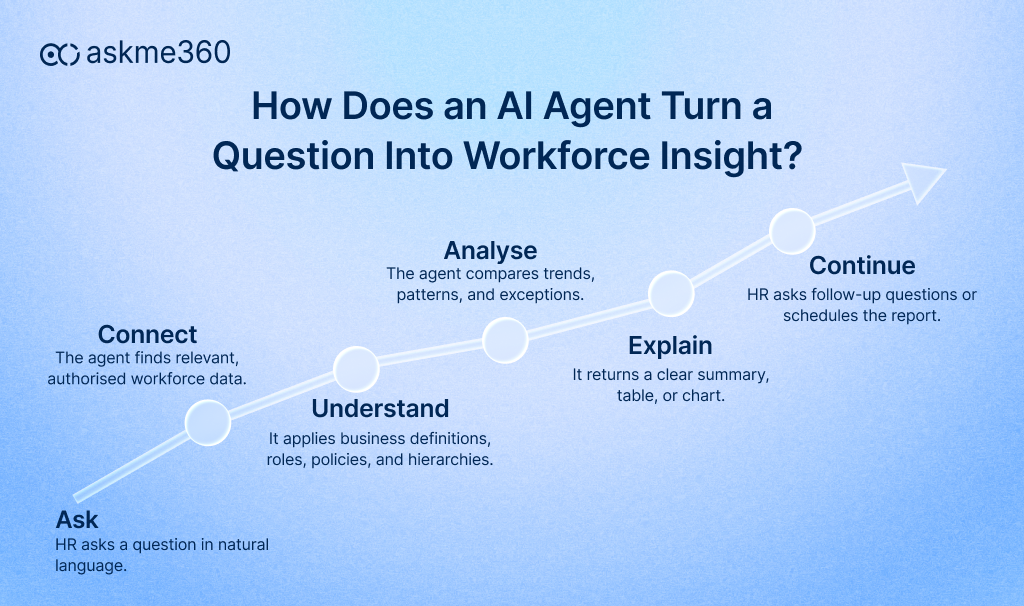
How do AI agents help HR teams get faster workforce insights?
AI agents help HR teams by turning natural-language questions into workforce reports, summaries, charts, comparisons, and recommended actions. They reduce manual analysis, connect related employee data, support follow-up questions, and automate recurring HR reporting. AI agents help HR teams get faster workforce insights by autonomously connecting, aggregating, and analyzing data across disconnected systems. They spot patterns in real-time, run instant scenario models, and convert complex metrics into clear, actionable recommendations. AI agents create a conversational layer between HR users and enterprise data.
Instead of forcing users to understand database structures, report names, or filter logic, the agent interprets a business question and identifies the data required to answer it. AI agents for HR can use natural language processing and large language models to respond to requests, analyse information, and support multi-step workflows.
HR teams can ask questions in natural language
A business leader does not need to know which system contains the data. The AI agent translates the question into the appropriate query, retrieves authorized data, and presents the answer in business language. This makes conversational AI for HR valuable to CHROs, HR business partners, managers, and business leaders who do not have technical reporting knowledge.
AI agents connect data across HR processes
A resignation does not happen in isolation. It may relate to tenure, compensation, manager changes, performance, workload, promotion history, location, or attendance. An AI agent can examine these connected signals when the relevant data is available. This turns separate HR records into connected workforce insights.
AI agents support follow-up analysis
Traditional dashboards often end the conversation. AI agents continue it. The ability to move from one question to the next makes AI in HR analytics more exploratory. It helps HR teams investigate a problem while the business context is still fresh.
AI agents turn data into clear summaries
A spreadsheet may contain thousands of rows. A well-designed AI agent can convert that information into:
- A concise executive summary
- A comparison table
- A trend chart
- An exception list
- A ranked set of findings
- Suggested follow-up questions
This does not remove the underlying data. Instead, it gives decision-makers a clearer starting point.
AI agents automate recurring reports
Many HR reports follow the same pattern every week or month.
These may include:
- Headcount movement
- Open positions
- Attrition trends
- Attendance exceptions
- Overtime analysis
- Payroll variance
- Training completion
- Diversity indicators
- Performance review status
An enterprise AI agent can schedule these reports, refresh them with current data, and send them to authorized recipients. HR analysts do not need to repeat the same extraction and formatting work. They can spend more time interpreting what the report means.
AI agents identify exceptions earlier
The real value of workforce analytics often sits outside the average. Average attendance may look stable, while one location experiences a sharp increase in unplanned absence. Overall attrition may appear acceptable, while a critical technology team loses several experienced employees.
AI agents can help surface these exceptions by comparing current results with historical patterns, thresholds, or peer groups. The goal is not to predict every employee’s behaviour. It is to give HR a better signal about where closer review may be required.
Where can AI in HR analytics deliver the most value?
AI in HR analytics delivers the most value in areas where teams need to analyse large volumes of workforce data quickly. Common use cases include attrition, recruitment, attendance, payroll, employee costs, skills planning, performance, and workforce forecasting. The strongest use cases connect HR information with a clear business question.
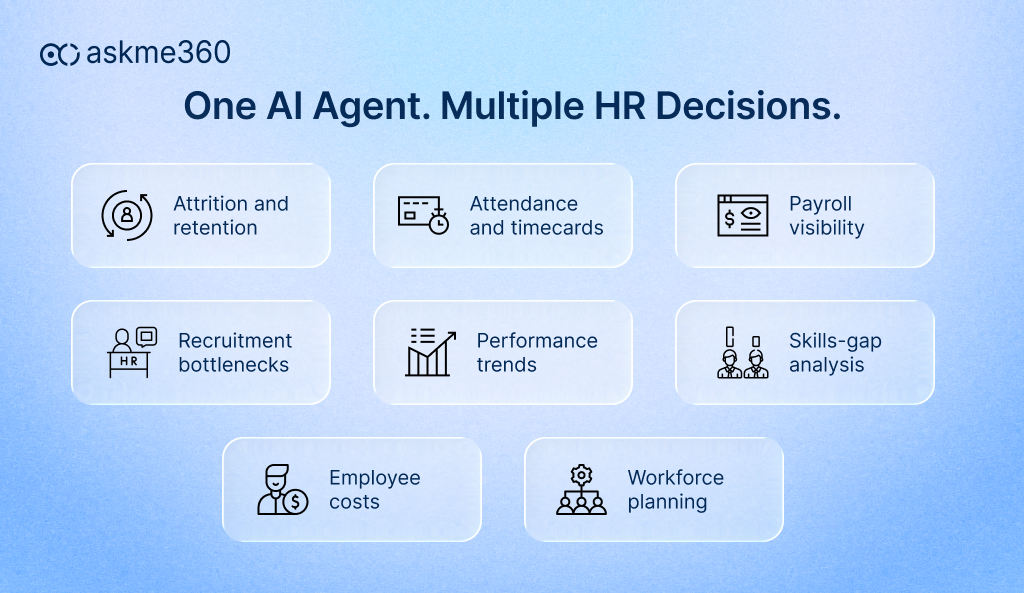
Workforce trend analysis
AI agents can analyse hiring, exits, transfers, promotions, tenure, workforce composition, and organizational movement. A leader could ask, “How has the engineering workforce changed across locations during the last 18 months?” The answer could show hiring growth, resignations, internal transfers, and role concentration in one view.
Attendance and timecard insights
Attendance information can reveal workload pressure, scheduling problems, process gaps, and possible compliance risks. The AI agent can produce a department-wise analysis and highlight the largest changes.
Payroll visibility
Payroll data is complex, sensitive, and closely linked with finance. AI agents can help HR and finance compare salary costs, overtime, allowances, deductions, bonus trends, and payroll variances without distributing uncontrolled spreadsheets.
Recruitment and hiring insights
AI can help teams analyse application volumes, recruitment stages, source effectiveness, interview delays, offer acceptance, and time-to-fill. The result can point to sourcing gaps, delayed interviews, approval bottlenecks, or rejected offers.
Attrition and retention analysis
AI agents can compare resignation patterns across tenure, role, manager, performance, compensation, promotion history, and location. However, HR should use such insights as indicators, not automated verdicts. A risk score should start a thoughtful review. It should never become the sole basis for an employment decision.
Skills and workforce planning
Skills are changing quickly. The World Economic Forum reports that 85% of employers plan to prioritise workforce reskilling. Compare current employee skills with upcoming projects, job requirements, or business plans.
Employee cost and productivity insights
HR data becomes more valuable when it connects with operational outcomes. This type of question brings HR, finance, and operations into the same decision.
Closing thoughts. AI in HR is about faster workforce intelligence
Adoption is already accelerating. SHRM reported that 43% of organizations used AI for HR tasks in 2025, up from 26% in 2024. Its 2026 research also found that 73% of HR directors and senior leaders had adopted AI by 2025. Adoption alone does not guarantee business impact. AI in HR is not simply about automating recruitment, writing job descriptions, or answering employee questions. Its larger value lies in helping HR teams understand workforce data faster and use it more effectively.
AI agents can reduce reporting delays, connect information across systems, support natural-language questions, uncover patterns, and automate recurring workforce analysis. However, the technology should strengthen human judgement rather than replace it.
The most effective approach starts with a business question. It then connects the right data, applies organizational context, protects employee privacy, and keeps people accountable for important decisions. That is how HR moves from delayed reporting to faster workforce intelligence.
How does askme360 support faster HR insights
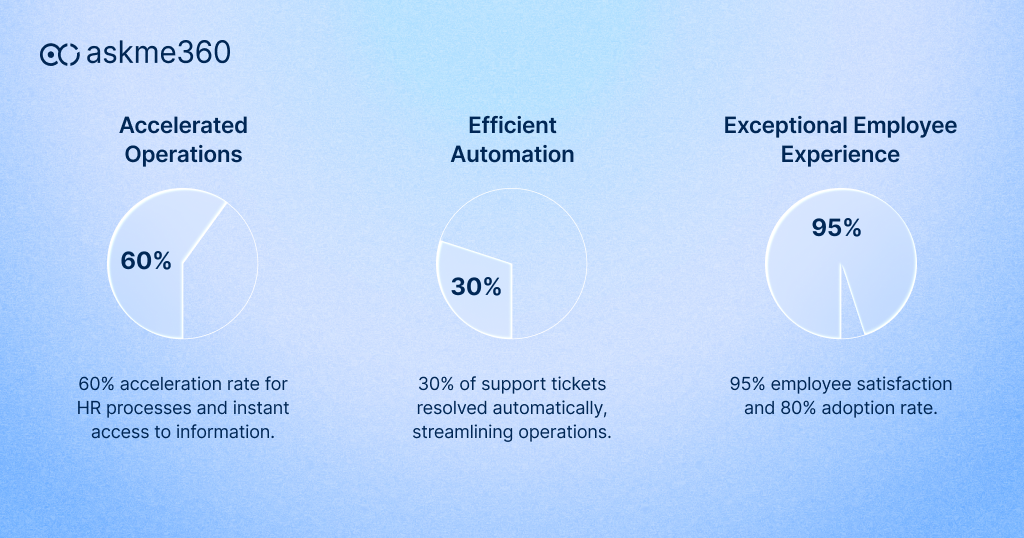
askme360 is an enterprise AI agent designed to help business users interact directly with ERP and enterprise data through natural-language questions. For HR teams, it creates a conversational layer across workforce information, allowing authorized users to explore headcount, attrition, attendance, payroll, performance, and other Core HR metrics without depending on complex reporting tools.
HR leaders can ask a business question, receive a clear summary, view supporting charts, and continue the analysis through contextual follow-up questions. Frequently used questions can be saved and rerun, while recurring reports can be scheduled and distributed automatically. askme360 also supports prebuilt HR modules and custom business terminology, helping the agent interpret organizational structures and reporting rules more accurately.
Workforce information is sensitive, therefore askme360 inherits existing ERP security roles and supports least-privilege access, separation of duties, privacy controls, masking, audit logging, and human-in-the-loop validation. Its Core HR positioning includes attrition analysis, performance monitoring, and workforce insights while preserving role-based access to enterprise data.
The result is not another static HR dashboard. It is a secure intelligence layer that helps HR teams ask, understand, and act on workforce data faster.
Frequently Asked Questions
Can HR teams use AI without technical reporting knowledge?
Yes. Conversational AI for HR allows users to ask questions in ordinary business language. The user does not need to know SQL, database schemas, report codes, or dashboard filters. However, the underlying system must still have reliable data definitions and security controls.
What are examples of AI in HR analytics?
Examples include analysing attrition by department, comparing overtime costs across locations, identifying recruitment delays, monitoring absenteeism, detecting payroll variance, forecasting skills gaps, and evaluating headcount against business demand.
Will AI replace HR professionals?
AI is more likely to change how HR work gets done than remove the need for HR professionals. It can handle repetitive analysis and reporting, while people remain responsible for judgement, employee relationships, organizational context, ethics, and sensitive workforce decisions.
Is employee data safe when HR uses AI agents?
It can be, provided the system uses strong governance. Enterprises should require role-based access, record-level controls, encryption, data masking, audit logs, human oversight, and clear rules about which data the AI can access or share.